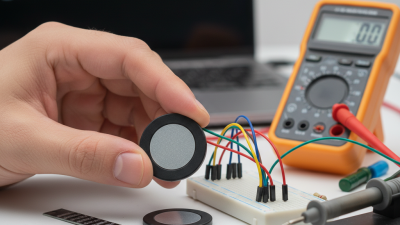
Choosing a Force-Sensitive Resistor (FSR) starts with the force your project must detect. A sensor pressed by a fingertip faces different demands from one beneath a seat cushion or machine panel. Its resistance changes as force is applied, but the response is not a precise, universal measurement of weight. Small differences matter. The mounting surface, contact area, and pressure location can all affect readings. A useful choice therefore depends on the complete design, not just the sensor’s listed force range.
Begin by estimating the lightest touch and strongest expected press. Then check the active sensing area, size, thickness, and operating environment. These details determine whether the FSR fits beneath a button, handle, or flexible surface. Review the datasheet for response curves, repeatability, and expected lifetime; specifications vary between models. A sensor that works well in a quick tabletop test may behave differently when mounted against foam or plastic. That mismatch is easy to overlook.
This guide explains how to compare FSR options and match them to practical project requirements. It also covers signal conditioning, since a voltage divider and suitable microcontroller input can make small resistance changes easier to read. Test the sensor in its intended mounting setup, using several presses and different force levels. Record the results. Do not assume that one calibration will remain perfect over time: FSR readings can drift, and loading history may influence the response. Some tradeoffs remain. The goal is a reliable, repeatable input—not laboratory-grade force measurement.
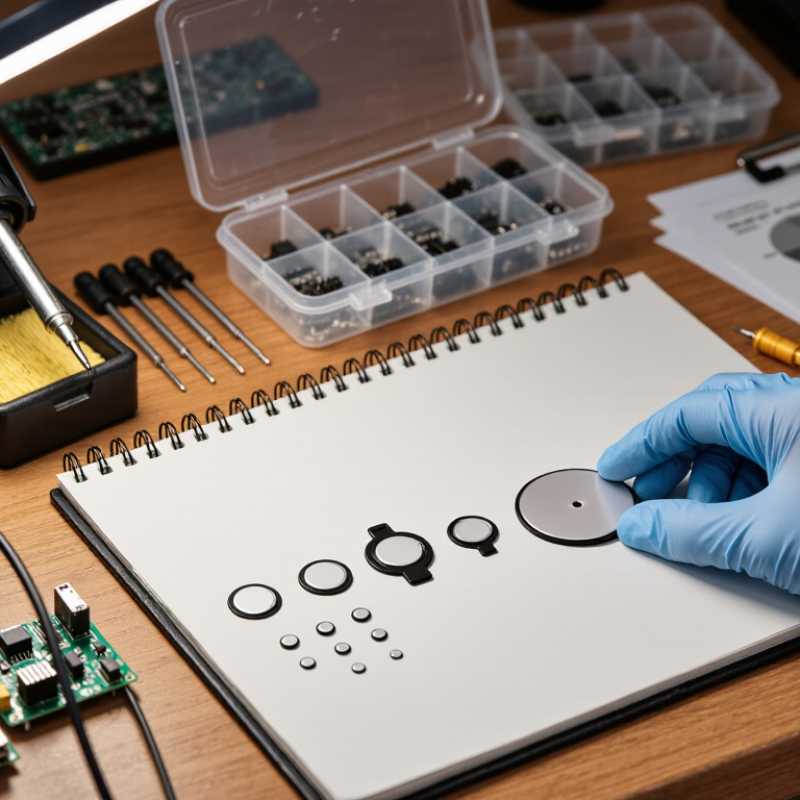
A force-sensitive resistor should be chosen around the force your device will actually experience, not a headline range. The often-quoted 0.2–20 N span is a model-dependent benchmark, not a universal specification. That equals roughly 20 g-force to 2 kg-force, but sensor geometry, contact area, and loading method can change the response. Small forces matter. A light fingertip touch and a firm button press are not interchangeable test conditions.
Write down the minimum force, typical force, and worst credible force, then test all three on the intended surface. Check sensitivity, repeatability, drift, and recovery after repeated presses. ISO 376:2011 describes calibrating force-proving instruments at defined force steps and evaluating repeatability and reversibility; its approach is a useful reminder that one reading is not enough. An FSR’s resistance curve is often nonlinear, so plan to calibrate the assembled device rather than rely on a nominal range alone. My first range estimate would be only a starting point.
Tips: Use a small test jig and apply known weights through the final contact pad. Log several readings at each load. Keep the fixture consistent; even a tilted pad can distort results.
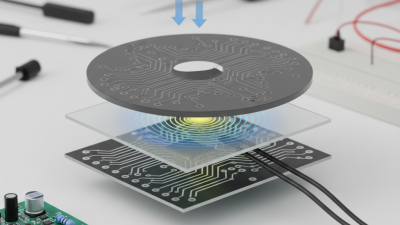
When choosing a force-sensitive resistor, match its active area to the part that will press on it. The FSR 402 has a 12.7 mm active diameter, roughly the width of a small coin. That does not mean the whole sensor is that size; allow room for its surrounding material and connections. Measure the contact patch, not just the object’s outside dimensions.
A small, centered contact can produce more repeatable readings than a broad, uneven one. Keep the pressing surface inside the active circle where possible, and use a firm, flat overlay to spread force consistently. Avoid sharp edges. They can concentrate pressure and make readings jump. If your design uses a curved button or a moving mechanism, test the real assembly rather than the sensor alone.
Fit matters more than the drawing suggests. A slight offset can change the result. FSR readings also vary with loading history, temperature, and how long force is applied, so treat them as relative measurements unless your setup has been calibrated. Record readings at several known loads, then repeat the test after the parts have been mounted. The result may not be perfectly linear; that is worth checking before setting thresholds or tuning software.
When choosing a force-sensitive resistor, compare repeatability and hysteresis as separate datasheet figures. Published FSR technical datasheets may show repeatability near ±2% and hysteresis around 10%, but these values are meaningful only under stated test conditions. Check the applied force, contact area, loading speed, and measurement cycle. A sensor pressed with a small rubber pad may behave differently from one loaded by a flat metal fixture. Small details matter.
Repeatability describes how closely readings agree when the same force is applied again. Hysteresis is the difference between readings during loading and unloading. A roughly 10% gap can affect a device that must trigger at the same threshold in both directions. Test several cycles in your actual mounting setup, and record readings while pressing and releasing. Keep the contact shape consistent. A tidy datasheet number is not a guarantee. I would also question whether ±2% reflects the full operating range or just a controlled test point; datasheets do not always make this obvious. Use the published test conditions as your reference, then verify the sensor against a known weight or force gauge before fixing the threshold.
A force-sensitive resistor changes resistance as pressure increases, so the readout circuit turns that change into a voltage an ADC can measure. A voltage divider is a practical starting point: connect the sensor and a fixed resistor in series, then measure the voltage at their junction. Check the divider direction and ADC input limits before wiring it. A 10-bit ADC offers 1,024 output codes, numbered 0 through 1,023. With a 3.3-volt reference, each ideal step is about 3.2 millivolts. That sounds precise, but it does not guarantee 1,024 useful force levels. Sensor variation, electrical noise, and the FSR’s nonlinear response reduce practical detail.
Choose the fixed resistor to suit the force range you actually expect, not a guessed maximum. A value near the FSR’s resistance under typical pressure often gives a useful voltage swing; test several loads to confirm. Small details matter. Record ADC readings with no load, then with repeatable weights or presses, and check whether readings bunch near either end of the range. Keep the ADC reference stable, route sensor wires away from noisy signals, and average a few samples if readings flicker. Test under load. Calibration may reveal uneven steps or drift, and that is worth documenting rather than hiding. A simple circuit can work well, but its limits should shape the force estimates you report.
An ideal N-bit ADC provides 2N output codes. A 10-bit ADC therefore has 1,024 possible codes, numbered 0 to 1,023.
More codes can provide finer measurement steps across the ADC input range, but the usable resolution also depends on the readout circuit, reference voltage, noise, and sensor behavior.
A force-sensitive resistor can look stable at room temperature and still drift near its operating limits. Calibrate it across both load and temperature, using a reference load cell and the project’s actual mounting surface. Test several points from light touch to maximum force, then repeat while unloading. Hysteresis matters. A smooth loading curve alone can hide it.
For a small control pad, for example, test at 0.5, 2, 5, and 10 newtons, at the minimum, room, and maximum expected temperatures. Let the sensor and fixture reach thermal equilibrium before recording readings. Repeat each point; note dwell time, voltage, and mounting pressure. Do not assume equal force steps produce equal output changes. They often do not.
NIST Technical Note 1297 explains how to report measurement uncertainty; a coverage factor of 2 commonly represents about 95% coverage when the underlying assumptions hold. Use that guidance when documenting calibration limits, not as a guarantee of sensor accuracy. I would not trust a tidy curve alone. A sensor may creep under a sustained load, and a rushed temperature soak can make the data look cleaner than reality. Recheck after assembly, since adhesive thickness or a slightly uneven support can shift the response.